
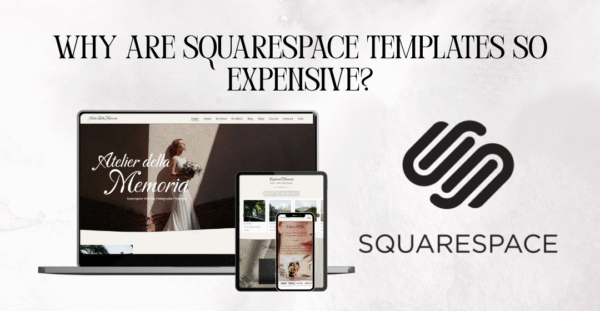
Why Are Squarespace Templates So Expensive? Leave a comment
If you’ve ever found yourself browsing through Squarespace templates and thinking, “Wow, these are pricey!” — you’re definitely not alone. As someone who designs and sells Squarespace website templates for a living, I get this question all the time: Why are Squarespace templates so expensive?
Let me break it all down for you — from the pricing structure to whether it’s even worth it, what cheaper alternatives exist, and how to avoid unnecessary Squarespace fees. I’ll even share some insider tips, especially if you’re in the market for a professional-looking site without paying hundreds (spoiler: I offer designer-level templates without the agency price tag ).
Why is Squarespace So Expensive?
Squarespace pricing starts at around $16/month, and their higher-tier plans can go up to $49/month (or more if you add extensions). On top of that, buying a premium Squarespace template from a third-party designer can cost anywhere from $75 to $500.
So, what gives?
Here’s what you’re really paying for:
- All-in-one functionality: Squarespace combines hosting, domain integration, drag-and-drop editing, e-commerce, blogging, and marketing tools in one platform.
- Visual quality: Their templates are sleek, responsive, and professionally designed. You’re getting a site that looks custom without hiring a developer.
- Support & security: Squarespace hosts your site securely, handles SSL certificates, and provides 24/7 customer support — all included.
- Ease of use: It’s beginner-friendly, even for people who have zero web design experience. And for entrepreneurs? Time is money.
And when it comes to premium templates like the ones I create, you’re paying for:
- A professionally designed layout that’s conversion-focused
- Hours of back-end setup (you’re not just buying a “design” — you’re getting a system)
- Built-in strategy for coaches, photographers, wedding planners, etc.
- Bonuses like Canva templates, SEO tips, or a marketing guide
➡️ If you’re looking for a beautifully designed Squarespace template with done-for-you structure and bonus materials, check out my Squarespace website templates shop — I’ve made them specifically for creatives, coaches, and service providers who want that elevated look without hiring a custom designer.
Is Squarespace Actually Worth It?
Short answer? Yes — if you need a stylish, easy-to-manage, all-in-one website.
If you’re a coach, virtual assistant, creative entrepreneur, or photographer, Squarespace gives you the tools to not only showcase your work but also grow your business with booking, blogging, email marketing, and even e-commerce — all from one dashboard.
Here’s when Squarespace is 100% worth it:
- You want a modern, professional site without hiring a web developer
- You need your site up fast and want to DIY with minimal stress
- You want everything in one place: website, blog, bookings, and even payments
Now, if you’re someone who enjoys tech and doesn’t mind patching together different plugins and platforms, you might prefer WordPress or Shopify. But for ease, support, and beauty? Squarespace wins.
Is There Something Cheaper Than Squarespace?
Yes — but cheaper isn’t always better.
Some Squarespace alternatives include:
- Wix – More flexible design-wise, but less intuitive for beginners and not as clean for blogging or SEO.
- WordPress.com – Free tier available, but to match Squarespace’s functionality, you’ll likely pay more for plugins, themes, and hosting.
- Weebly – Cheaper, but very limited in design and scalability.
- Carrd or Notion – Super basic and not suitable for full-scale business websites.
If budget is an issue, I recommend starting with a low-cost Squarespace plan and a professionally designed affordable template (like this one I made for coaches) that does the heavy lifting for you. It’s way cheaper than hiring a designer — and way better than starting from scratch.
Why Does Squarespace Have So Many Templates?
Squarespace’s design library is filled with a variety of templates for different industries — but here’s the thing: many of them are variations of the same structure, especially since the move to Squarespace 7.1.
So while it looks like there are dozens of unique designs, the backend is largely the same — which is great for flexibility, but confusing for beginners who expect each template to function differently.
That’s why custom Squarespace templates from designers (like me) are so helpful: I take the flexible Squarespace structure and create strategic layouts built specifically for real businesses — with things like:
- Clear service flow
- Built-in call-to-actions
- Thoughtful portfolio and blog layouts
- Mobile optimization
So yes, Squarespace has tons of templates… but most of them are generic. If you want something that’s tailored for your niche, investing in a third-party template is the smart move.
What Is the Downside to Squarespace?
While I’m a big fan of the platform, it’s not perfect. Here are a few downsides to keep in mind:
❌ Less flexibility than WordPress
You can’t install plugins or deeply customize the backend like you can with WordPress.
❌ Limited integrations
Squarespace does integrate with popular tools like Acuity, Stripe, and Mailchimp — but if you have niche software needs, it might fall short.
❌ Cost adds up
While you’re saving on developers, the monthly cost + domain + template can feel steep for a beginner.
❌ E-commerce is basic
It’s great for selling digital products or simple services, but if you’re running a complex online store, you might find it lacking.
Still, for most entrepreneurs and creatives, Squarespace is more than enough, and the time you save from its simplicity is worth the trade-offs.
How to Avoid Squarespace Fees?
Great question — there are a few ways to save money on Squarespace:
Pro Tips:
-
Choose annual billing
You’ll save 25–30% by paying annually instead of monthly. -
Use your own domain
Buy your domain through Google Domains or Namecheap for better pricing and control. -
Skip the add-ons
You don’t need every extension or Squarespace Email plan — many are optional. -
Use a pre-made template instead of hiring a designer
My Squarespace templates include all the pages you need, brand support, Canva bonuses, and tutorials — at a fraction of the cost of custom design. -
DIY with help
Use YouTube tutorials, Squarespace’s support center, and blog posts like this one to save time and money during setup.
Final Thoughts
Squarespace templates might feel expensive upfront — but when you realize how much value they bring in terms of design, time-saving, and conversion strategy, the cost is more than justified.
If you’re on a budget or just want something that looks custom without the price tag, check out my collection of done-for-you Squarespace templates here. You can always contact me directly here if you want a personalized site or have questions about which template fits your business best.
Still wondering if Squarespace is right for you? Shoot me a message or comment below — I’m happy to help!